Mirror - Fullscreen Mirror App
- 4.6
- Rating
- 1.00M
- Installs
- Free
- Price

 Analysis by App-foxy
I like beauty apps that solve one small problem without turning it into a complicated project, and Mirror - Fullscreen Mirror App takes that approach seriously. It is a simple Android mirror app from Studio 360 Apps, designed for the moments when I need a clear view of my face but do not want to open the camera, take a picture, or deal with a crowded editing interface. After using it as a practical everyday tool, I found that its value comes less from a long feature list and more from how quickly it gets out of the way.
The app belongs to the beauty category, but I would describe it more accurately as a pocket replacement for a compact mirror. I can open it before leaving home, check whether my hair is sitting properly, inspect makeup around my eyes, or make a quick adjustment before a video call. That focused purpose is also its main limitation: it is useful when I want to look at myself live, not when I want to create a polished selfie or edit a portrait.
How I use the mirror in everyday routines
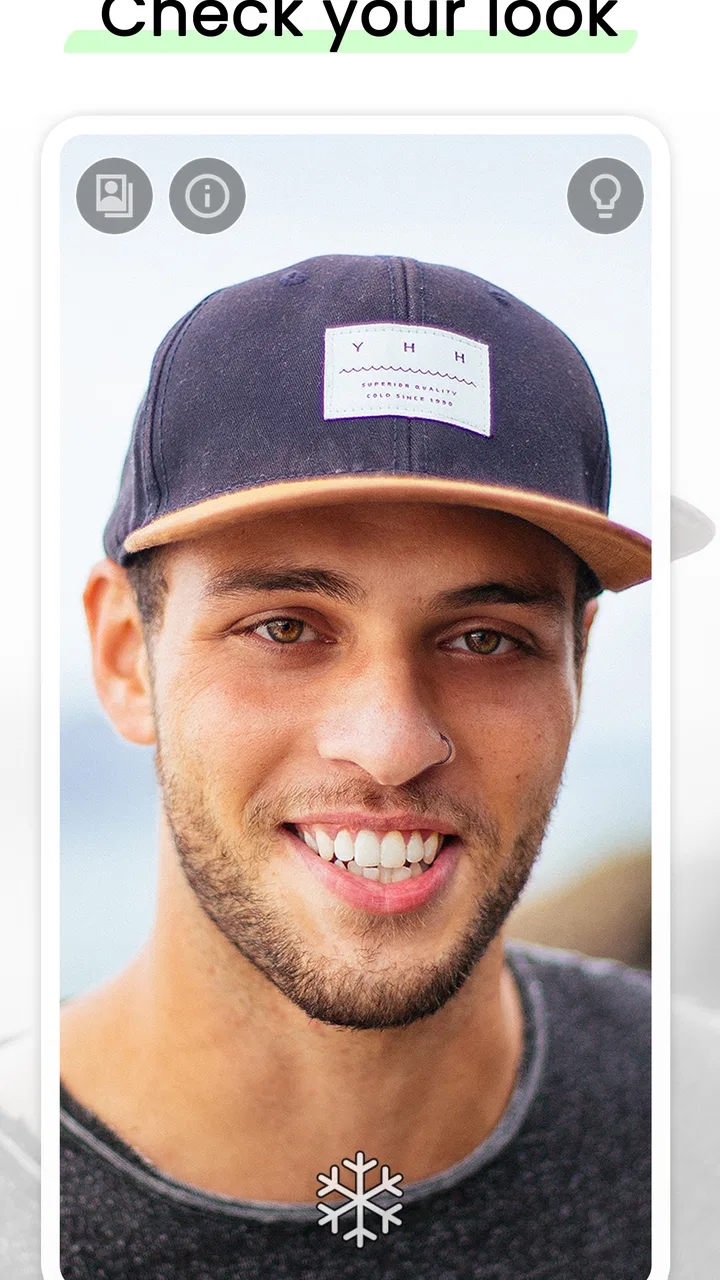
My baseline workflow is straightforward. I launch the app, hold the phone at a comfortable distance, and use the screen as a larger illuminated reflection. The fullscreen presentation is especially helpful because the display becomes the viewing area instead of leaving me with camera controls, gallery buttons, or other distractions competing for attention.
You May Also Like

 Blood Strike: 2.5 Anniversary
Blood Strike’s Loadouts Turn Every Drop Into a Tactical Gamble
A close look at Blood Strike’s custom loadouts: how fast access to signature weapons reshapes its battle royale rhythm, rewards preparation, and narrows the gap between fights.

 Pandora - Music & Podcasts
Pandora’s Music Is Easy to Start, but Harder to Recover
Pandora’s strength is its low-effort path from a seed to a station. Its weak spot is how much confidence it asks you to place in connection, setup, and quiet recovery.

 8 Ball Pool
 Is Built on Rivalries, Rematches, and Routine
A close look at the rivalries, rematches, shared routines, and unanswered safety questions that turn a quick pool match into a persistent mobile community.

 Samsung Music
’s Quiet Strength Is Playing What You Already Own
Its reach comes less from spectacle than from dependable access to a personal library. That simplicity is both the app’s strongest retention engine and its ceiling.

 AccuWeather: Weather Radar
AccuWeather Review: A Quick, Clear Forecast for Everyday Decisions
For everyday plans, the best forecast is the one you can understand quickly. AccuWeather makes rain timing, radar, and local conditions easy to act on, with a few trade-offs.

 Hill Climb Racing
Why Hill Climb Racing Still Turns Crashes Into One More Run
A tiny car, a bumpy hill and one more upgrade: Hill Climb Racing keeps resurfacing because its simple chaos makes every near-miss feel personal.
More From Our News Desk
View All News


That makes a difference in ordinary situations. If I am already dressed and notice a loose strand of hair, I can check it while standing near the door. If I am applying lipstick in a dim room, the phone screen gives me a more practical view than trying to angle a small physical mirror. I also find it useful for checking glasses, earrings, eyebrows, or anything else that needs a quick visual inspection rather than a photograph.
The best way to think about this app is as a fast visual checkpoint, not a beauty camera. I do not open it expecting filters, retouching, tutorials, or a saved record of how I look. That narrow expectation makes the experience feel clean. It also prevents a common mistake: judging a mirror app by the standards of a social camera, where effects and sharing tools are central.
For a person who frequently uses the front-facing camera for this purpose, the difference is subtle but useful. A normal camera app often opens with shooting controls, exposure buttons, thumbnails, and a shutter button. Those elements are not harmful, but they make a quick check feel like the beginning of a photo session. Mirror keeps the task closer to the familiar action of picking up a real mirror.
I would recommend it most to people who want a dedicated utility on an older or modest Android phone. It runs on devices using Android 6.0 or later, so it is not restricted to recent hardware. That broader compatibility matters for a spare phone kept in a bedroom, bathroom, dressing area, or travel bag. The app is free to install, and its Everyone content rating makes it approachable for a wide range of users.
There is also a practical social use. Before joining a meeting, I can use the app to check whether the camera angle will show an untidy collar or whether my face is evenly lit. It does not replace a proper preview inside a meeting service, because the final camera image may differ, but it gives me a quick preparation step without creating an unwanted photo.
Small habits that make the basic workflow better
I get a more useful reflection when I hold the phone close to eye level instead of pointing it upward from my waist. That sounds obvious, but it prevents the familiar problem of checking one angle and then discovering that the result looks different when the phone is actually used for a call or a photograph. For hair and makeup, I move the phone slowly rather than relying on one fixed position; the changing angle reveals uneven areas more reliably.
Light placement matters just as much as the app. A bright screen can help when the room is dark, but it cannot correct strong shadows from overhead lighting or a window behind me. I prefer standing with the main light in front of my face and using the app as a consistent viewing surface. This is one of the most useful lessons from using it: the mirror is only as informative as the environment around the phone.
I also avoid holding the device too close. At very short distances, I end up inspecting tiny details that are not representative of how anyone else will see me. A normal arm’s length is more practical for a general appearance check, while a closer view makes sense only for a specific task such as checking eyeliner or a contact lens.
Because this is a live view rather than a saved image, I can make a correction immediately and move on. That is a quiet strength. I am less likely to get distracted by retaking the same selfie or comparing several nearly identical pictures. For quick grooming, that reduction in friction is more valuable than a collection of extra tools.
Settings I would check before relying on it
The current version is 1.4.3, and I would still spend a moment looking through the available in-app controls before making it part of a daily routine. With a minimalist utility, even a small adjustment can affect comfort. I check whether the display behavior suits the way I use the phone, whether the screen orientation feels natural, and whether any visible controls can be kept out of the way during a fullscreen check.
I do not treat every setting as something that needs changing. In fact, experienced use here is mostly about choosing a comfortable default and leaving it alone. If I am constantly opening menus before looking at myself, the app loses the advantage of being a quick mirror. I would rather establish one dependable arrangement for ordinary checks and only adjust it when the situation changes.
Brightness is worth thinking about, although the best level depends on the room. A high screen brightness can make the face easier to see in a darker space, but it may also make the display uncomfortable or create a falsely flattering impression. I use enough brightness to see clearly, not the maximum automatically. In daylight, excessive brightness can also reduce the sense that I am looking at a natural reflection.
Orientation is another small but meaningful choice. Portrait mode feels right for hair, makeup, and facial details because it matches the shape of the face. Landscape can be more comfortable if I am checking clothing or the way I will appear in a wide video frame. I do not expect the app to transform a phone into a dressing-room mirror, but changing how I hold it makes the same simple tool more adaptable.
Users who share a device should also think about the difference between a mirror and a camera. I use Mirror as a viewing surface, but I still handle the phone in a way that respects the surrounding space. In a workplace, shop, or public setting, I would avoid assuming that a fullscreen mirror makes it acceptable to point the device at other people. The app is simple; good judgment still belongs to the user.
The app has reached over a million installs and holds a 4.6 average from around thirty-six thousand ratings, which suggests that its straightforward purpose resonates with many people. I see those figures as evidence of broad usefulness rather than proof that it will suit every phone or every routine. A simple app can be popular precisely because it does one job well, but simplicity also means there are fewer alternatives inside the app when conditions are difficult.
Faster patterns for repeat users
Once I know I will need a mirror several times in one day, I create a repeatable habit instead of treating each check as a separate task. I keep the phone where I normally prepare, open the app before starting makeup or hair, and use the same general lighting position. That consistency helps me notice actual changes rather than changes caused by moving between a bright window, a ceiling light, and a dark hallway.
A useful pattern is to divide the check into three passes. First I look at the overall appearance from a normal distance. Then I bring the phone slightly closer for one specific detail, such as the edge of lipstick or a stray hair. Finally I move back again to confirm that the correction looks balanced. This avoids spending too much time on tiny details that are invisible at ordinary conversational distance.
For clothing, I use a different sequence. I hold the phone farther away, turn slightly from side to side, and check the collar, shoulders, and front of the outfit. I do not rely on the mirror for a complete back view, since a single phone screen and one handheld angle cannot provide the same coverage as a large physical mirror. When I need to inspect the back of a jacket or dress, a second reflective surface or another person is still the better option.
Another efficient habit is using the app before opening a video meeting rather than during the meeting. I check the face and collar, then switch to the service I actually need. This keeps the mirror app in its proper role and avoids the awkwardness of trying to use one app as a substitute for the final camera preview. The same approach works before recording a presentation, making a call, or leaving for an event.
I also like using it as a final check after applying sunscreen or skincare. The live view makes uneven blending easier to spot than a quick glance in a small bathroom mirror. However, I would not use it as a diagnostic tool for skin concerns. Lighting, screen brightness, and the phone’s display can all change how texture and color appear, so professional advice remains more appropriate for anything medical or persistent.
People who are sensitive to screen glare may prefer a physical mirror for longer grooming sessions. I understand that choice. Mirror is strongest when I need portability, a larger bright surface than a compact mirror, or a quick check in a place without a wall mirror. It is less compelling if I already have a well-lit full-size mirror within reach.
Where the simple design reaches its limits
The biggest trade-off is that the app focuses on live reflection instead of becoming a complete beauty toolkit. I cannot treat it as a replacement for a camera editor when I want filters, retouching, cropping, or a finished image. I also would not choose it when the main goal is to compare products, document a makeup look, or send a photo to someone else.
That limitation is not necessarily a flaw. In my experience, adding editing tools would change the character of the app and make it less immediate. Still, potential users should be clear about the boundary. If the usual alternative is the front camera, Mirror offers a cleaner viewing experience. If the usual alternative is a full beauty camera with effects and sharing, it will feel intentionally bare.
Physical mirrors have advantages that a phone cannot reproduce. They do not depend on battery life, they remain visible while both hands are free, and they offer a stable view without asking me to hold a device. A wall mirror is also better for checking posture, clothing proportions, and the overall silhouette. I reach for this app when portability or convenience matters, not because it defeats every physical alternative.
There is a similar trade-off with the front-facing camera. The camera may be more convenient if I am already taking a selfie or preparing a recording, while Mirror makes more sense when I want to avoid creating or managing an image. If I need to see exactly how a particular camera app frames me, I use that camera app instead. The mirror view is helpful preparation, but it is not a guarantee of the final captured result.
In-app purchases cost $1.49 per item. Since the basic purpose is already available as a free app, I would consider any optional purchase carefully and only pay if a particular extra fits my routine. I would not install it expecting that every useful mirror function requires payment, but I would also avoid assuming that every convenience is included without checking the screen in front of me.
Performance expectations should remain realistic. On a supported device, the app’s job is uncomplicated, but a mirror experience can still feel less pleasant if the phone has a dim display, a damaged screen, or poor front-camera hardware. The app cannot make a low-quality camera sensor produce a studio image, and it cannot remove reflections from a cracked protector. For a clear check, the condition of the phone matters.
Privacy-minded users may prefer this focused approach because they are not automatically building a gallery of grooming photos, but I still recommend reviewing the app’s permission prompts and using normal device privacy habits. I do not grant access casually just because an app is simple. A dedicated mirror should feel uncomplicated from the user’s side, and keeping permissions relevant is part of that experience.
Who should install it, and who should choose something else?
I think Mirror is a good fit for someone who often needs a quick face or hair check away from a bathroom mirror. It is also suitable for people using an older Android phone, anyone who dislikes the clutter of a standard camera interface, and users who want a free, uncomplicated beauty utility with an Everyone rating. Its popularity, including roughly two thousand reviews alongside its large rating count, reinforces the impression that it serves a familiar everyday need rather than a specialist audience.
I would be more hesitant to recommend it to a makeup artist who needs close-up documentation, a content creator who needs filters and framing controls, or a shopper who wants to compare saved looks over time. Those users need a camera or editing app with a broader workflow. I would also steer someone toward a real full-length mirror if clothing checks are the main purpose.
The developer, Studio 360 Apps, has kept the concept focused enough that I can understand the app immediately. That clarity is important for a utility: I do not have to learn a complicated system before getting value from it. The downside is that users who enjoy customization may find the experience too restrained, especially if they expect a beauty app to offer guidance, enhancement, or creative tools.
For a realistic daily scenario, imagine preparing for work in a room without a good mirror. I open the app, check my face under the same light I will use for the video call, inspect my collar and hair, make one correction, and close it. If I need a more detailed makeup check, I move closer for that single detail, then return to normal distance. The process takes less effort than opening a camera, taking a picture, reviewing it, deleting it, and repeating the cycle.
That is where the app earns its place. It is not trying to make me look different; it helps me see what needs attention before I continue with my day. The difference sounds modest, but it is exactly the kind of small convenience I use repeatedly when an app respects the task instead of expanding it.
My final view is positive, with a clear condition: install it if you want a dedicated fullscreen reflection, not a complete beauty studio. I appreciate the free entry point, the broad Android compatibility, and the uncomplicated workflow. I also appreciate that I can build a reliable habit around lighting, distance, and orientation rather than learning a complicated feature system.
For quick grooming checks, Mirror - Fullscreen Mirror App is practical because it stays focused. It will not replace a full-size mirror, a camera editor, or a video preview, and experienced users should understand those boundaries. But when I need a portable live view of my face or outfit detail, it gives me a clean starting point and gets out of the way. That makes it an app I would recommend to a friend who wants a dependable mirror on an Android phone rather than another camera full of distractions.
FAQs for Mirror - Fullscreen Mirror App
01What features does the Mirror - Fullscreen Mirror App offer?
The Mirror - Fullscreen Mirror App provides a high-definition reflection with adjustable brightness and zoom capabilities. It offers a freeze frame feature to capture your reflection for a closer look, and the interface is clutter-free for an immersive experience. Additionally, it includes built-in lighting options to enhance visibility in low-light conditions.
02Is the Mirror - Fullscreen Mirror App available for free?
The app is available as a free download, but it may include in-app purchases or ads. These purchases can unlock additional features or remove advertisements for an uninterrupted experience. It's advisable to review the app store details for any costs associated with premium features or ad removal options.
03Does the Mirror - Fullscreen Mirror App require an internet connection?
No, the Mirror - Fullscreen Mirror App does not require an internet connection to function. It operates using your device’s camera and screen. However, an internet connection might be needed for downloading the app or accessing certain features, such as updates or premium content, if applicable.
04Is my privacy protected while using the Mirror - Fullscreen Mirror App?
Yes, the Mirror - Fullscreen Mirror App prioritizes user privacy. It uses your device’s front camera to display a reflection, and no images or videos are stored or transmitted. Always ensure you download the app from official sources to avoid unauthorized versions that may compromise privacy.
05Can the Mirror - Fullscreen Mirror App be used on all devices?
The app is designed for both Android and iOS platforms, supporting a wide range of devices. However, performance may vary depending on the device's camera quality and screen resolution. It's advisable to check the app store for any specific device requirements or compatibility notes before downloading.
Pros
- User-friendly interface
- easy to navigate.
- High-quality mirror reflection output.
- Includes zoom and brightness control.
- Minimal ads
- non-intrusive experience.
- Quick launch
- no lag or delay.
Cons
- Requires internet for full features.
- Limited customization options.
- Ads can occasionally be distracting.
- No built-in screenshot function.
- Some features are behind a paywall.

Mirror - Fullscreen Mirror App
Gallery